Send photos and reply to messages
Share a photo in the chat or reply to a specific message so friends can see what you’re responding to.
 Categoried
A new kind of messaging · In development
One friend. A hundred things to talk about. Categoried gives your plans, everyday moments, and big ideas their own space—inside the same conversation.
Explore CategoriediPhone and iPad In development
One friend. Room for every topic.
Tap a topic. Pick up a different conversation.
LESS SCROLLING. MORE CONNECTION.
The dinner plan shouldn’t disappear beneath the life update. A little room for each topic helps you come back to what matters.
Share a photo in the chat or reply to a specific message so friends can see what you’re responding to.
Put one category inside another. Keep flights and places to eat under Travel so the whole trip is easy to find.
Look up a restaurant name, an address, or a detail you remember to find the message again.
A LOOK INSIDE CATEGORIED
A name, a color, a little personality. Give an idea a home, or build a space around something you love.
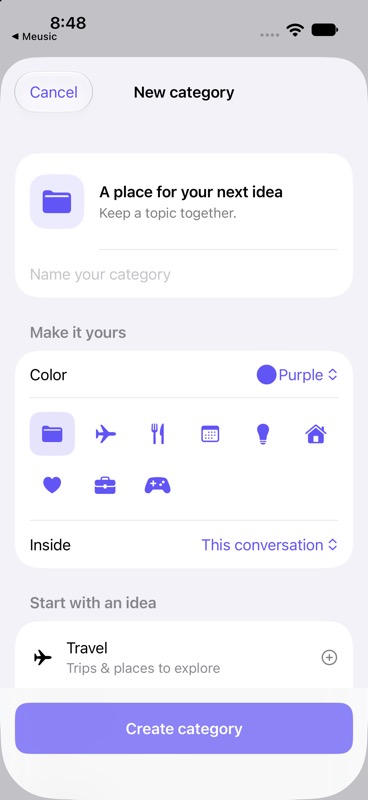
Choose a name and icon. Keep the little plans and the big ones together.
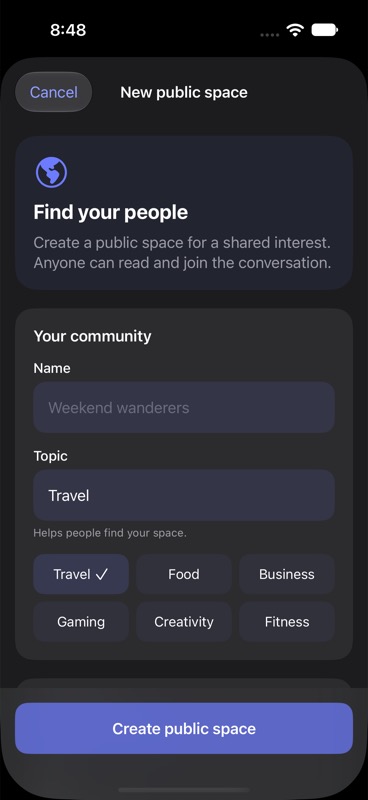
Start a public space for a shared interest, from weekend adventures to a favorite hobby.
Actual iPhone simulator screenshots from a development build. Sample content; design and features may change. Select a screenshot to view it in full.
Okay, that’s a terrible idea.
☺ Just kiddingSo… same time tomorrow?
LET YOUR TONE COME THROUGH
A joke. A little sarcasm. Something you really mean. Add context to a message to help it land the way you intended.
See context in the previewBEYOND YOUR EVERYDAY CIRCLE
Browse public spaces by interest and explore the topics inside each one. Posts in these spaces are visible to other people.
Part of the app we’re buildingA FEW THINGS TO KNOW
Categoried is a messaging app in development for iPhone and iPad. It organizes conversations with friends into topics so everyday chat, travel plans, and side projects can each have a place.
Categoried is still in development. The App Store download will be available after public release.
No. The interactive preview uses fictional messages to show how categories work. It doesn’t send messages or create an account.
Visit support & contact to email the Categoried team at support@eateri.co. The email links identify this website and project automatically.
This website follows your device appearance by default. Use the appearance button at the top to choose System, Light, or Dark. The development screenshots also show the app’s light and dark designs.
No. Everyday is the starting point. A new category gives a topic its own space when you want to keep coming back to it.
MORE ROOM FOR WHAT MATTERS
Categoried for iPhone and iPad · In development